
Xuda Deploy Android App User Guide
Xuda Deploy Android App User Guide
This guide explains what to do when you want an Android App deployment from a Xuda project dashboard.
Guide Purpose
Use Android App when you want to package a project for Android devices or Google Play distribution.
Current Availability
In the current dashboard, Android App is marked as Early access.
That means selecting it opens a support request instead of the normal deployment wizard.
Step 1: Open Deploy From The Project
Open your project in dev.xuda.ai/dashboard, then click Deploy.
The Deploy Type screen lists the available deployment categories.
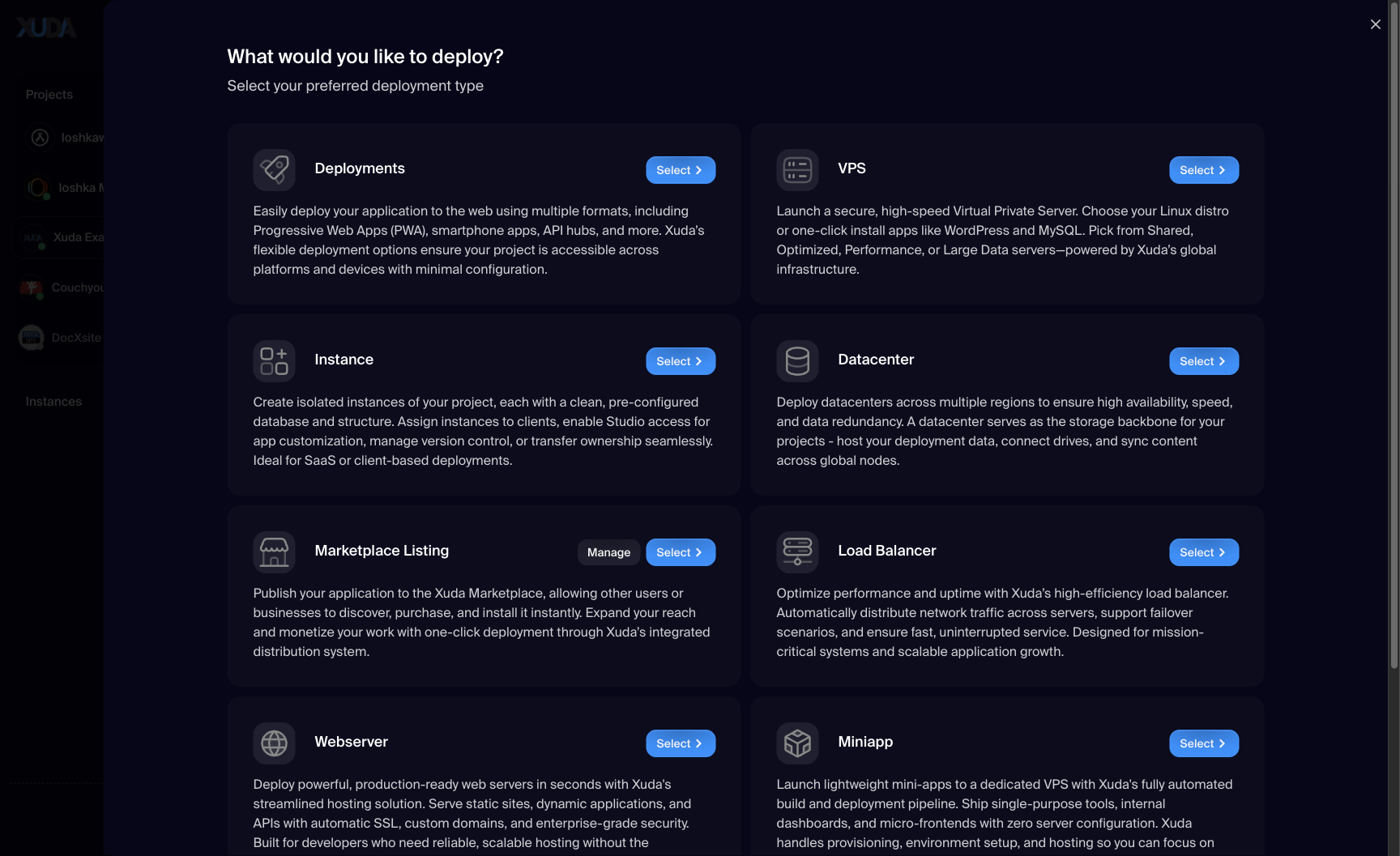
Step 2: Find Android App Under Deployments
Select Deployments, then switch to the SMARTPHONE tab. Android App is shown alongside iOS App and is marked Early access.
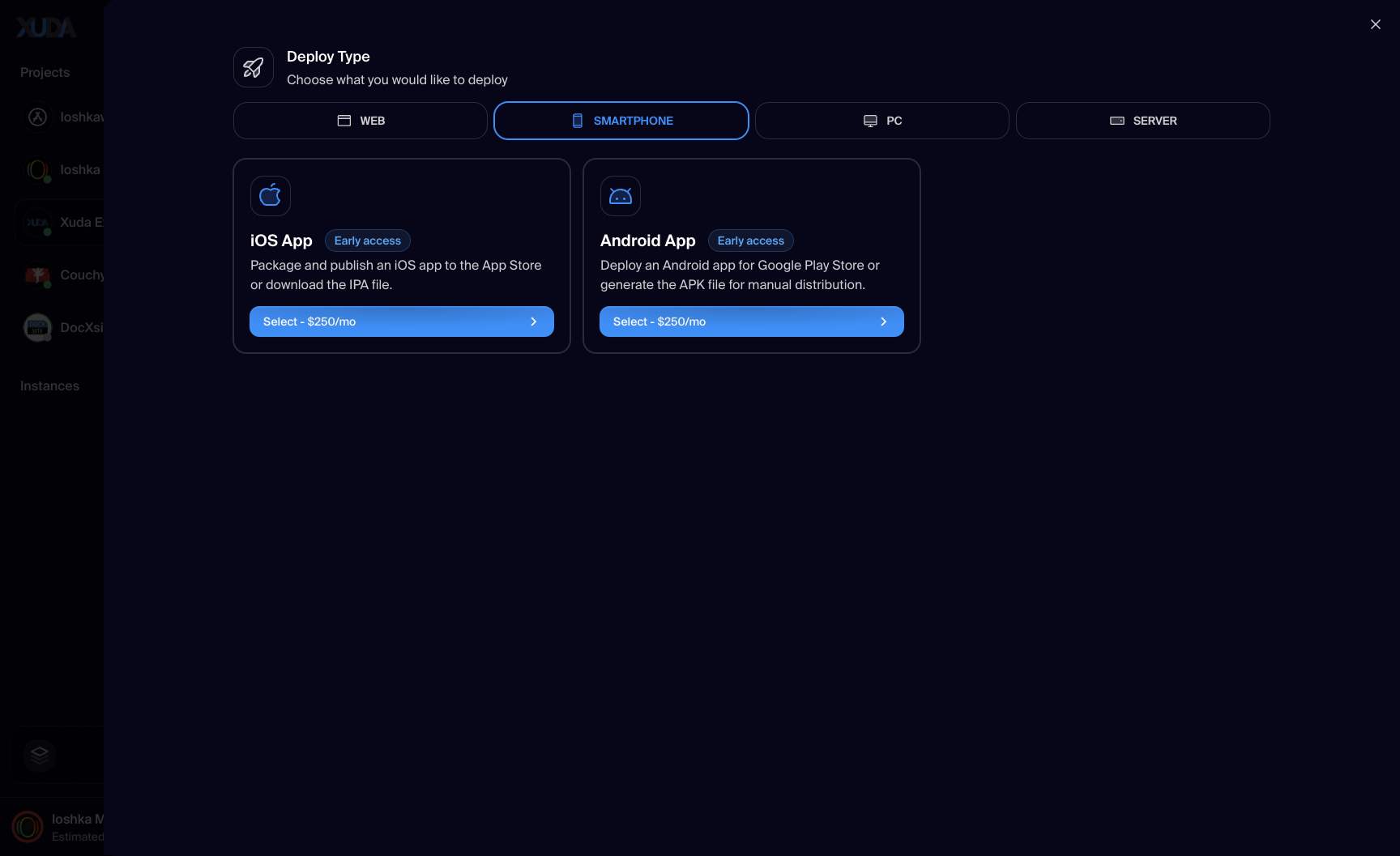
Step 3: Request Early Access
Click the Select button on the Android App card.
Because Android App is Early access, Xuda opens the support page with the Android topic preselected so you can describe what you need.
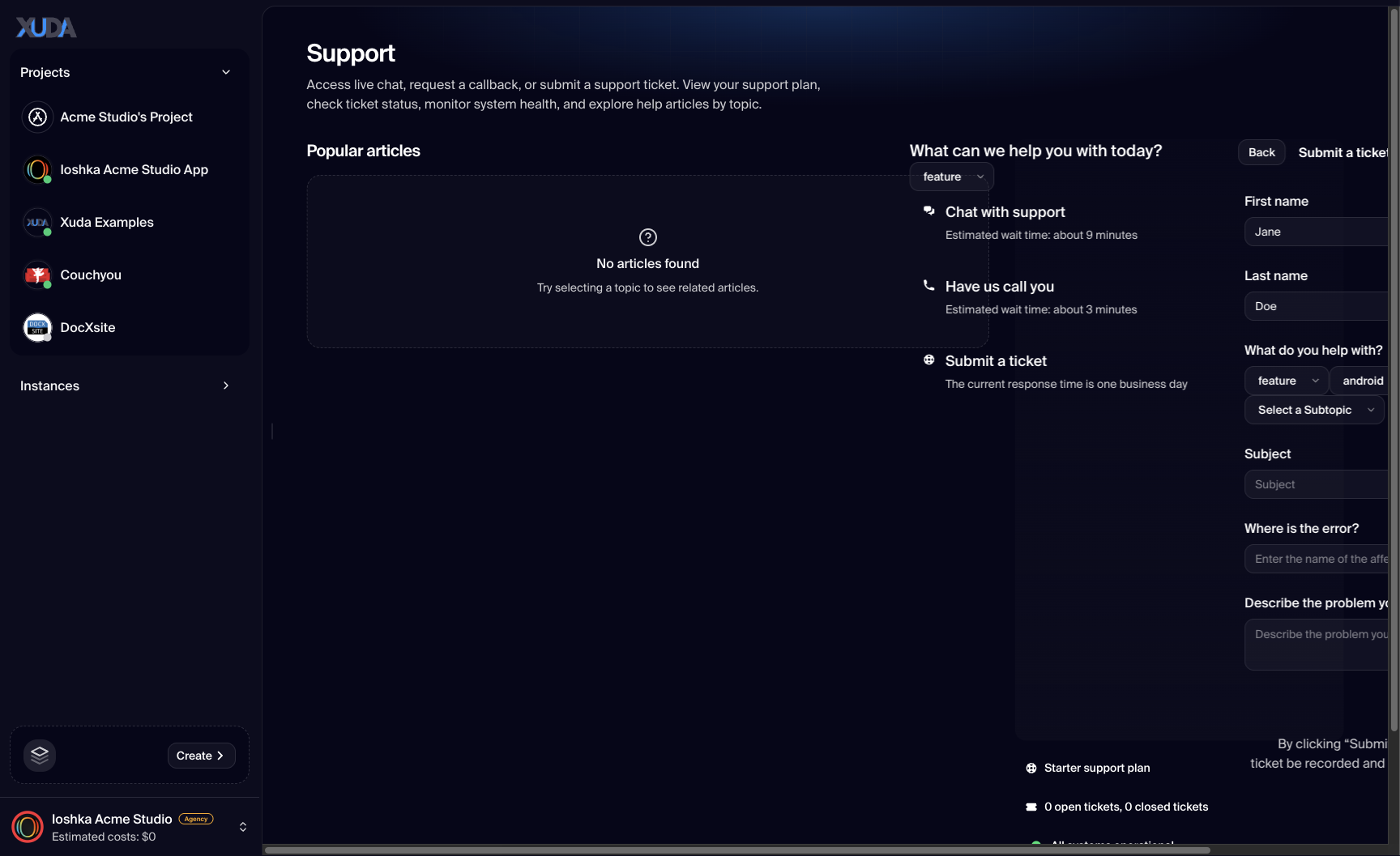
Step 4: Send The Request
Explain that you want to deploy the current project as an Android app.
Mention whether you need Google Play publishing or a downloadable APK.
Best For
Android App is best for:
- Android phones
- Android tablets
- Google Play releases
- downloadable app packages