
Xuda Dashboard Project Dependencies User Guide
Xuda Dashboard Project Dependencies User Guide
This guide explains the Dependencies tab inside a Xuda dashboard project.
Guide Purpose
Use this tab when you want to review or manage the npm packages the project depends on behind the scenes.
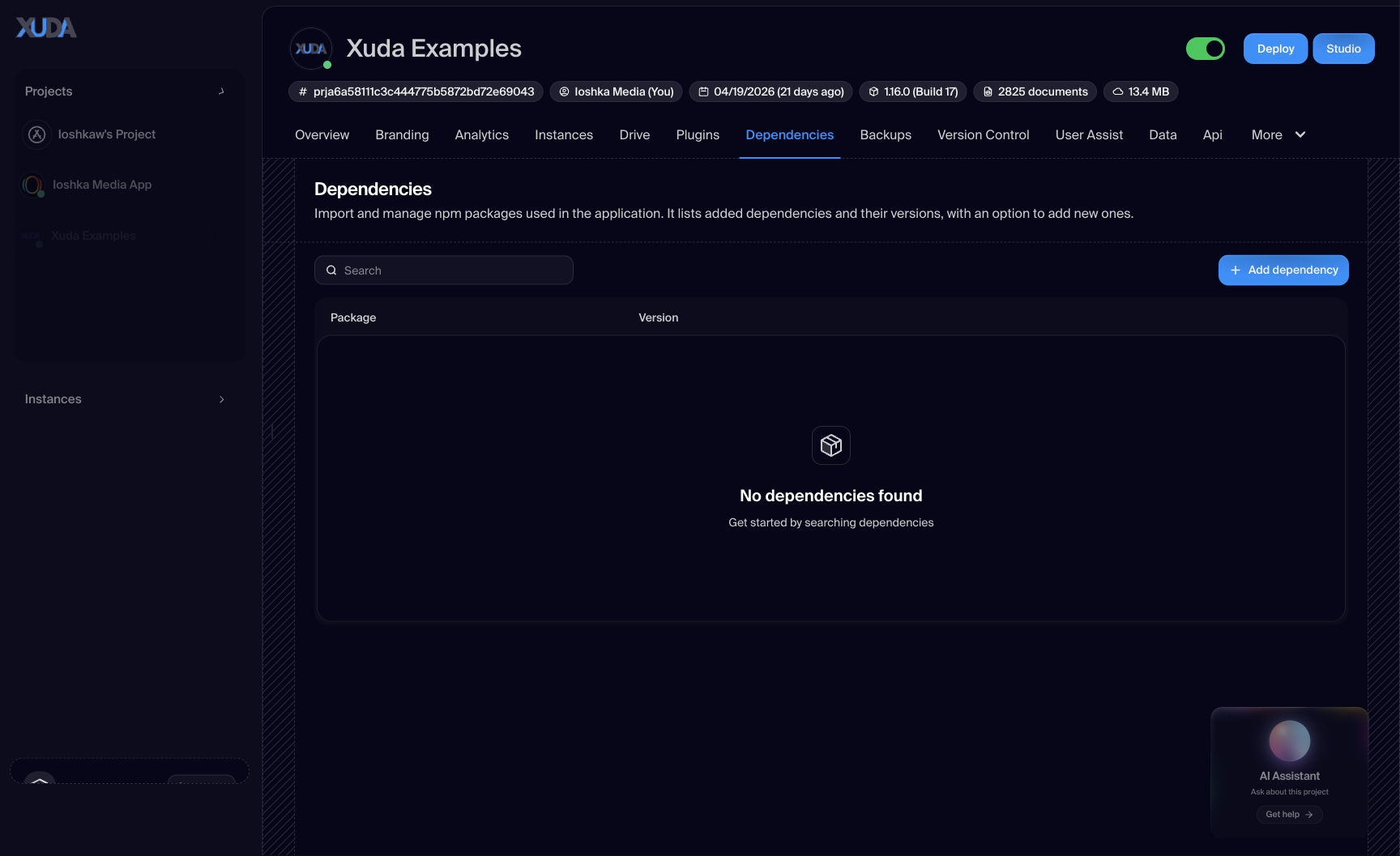
Step 1: Open The Dependencies Tab
Open your project in dev.xuda.ai/dashboard, then click Dependencies in the top project tab row.
Step 2: Understand The Main Controls
The page is centered around a package list and a few key actions:
- Search to locate an existing package
- Add dependency to add a new package
- the Version column to review or change package versions
- a row menu for actions such as Delete
- Reset changes and Save changes when you have edited the list
Step 3: Know What This Tab Means For Non-Technical Users
Dependencies affect how the project works under the hood.
If you are not the person managing technical packages, this tab is still useful for:
- confirming whether a package exists
- spotting whether the project has many custom dependencies
- understanding why a technical teammate may be careful about changes here
If you do make a change, save only after you are sure, because dependency changes can affect the running project.
What This Tab Is Best For
Use Dependencies when you want visibility into the project's package list, or when a technical teammate has asked you to review or confirm a package-related change.