
Xuda Dashboard Project Version Control User Guide
Xuda Dashboard Project Version Control User Guide
This guide explains the Version Control tab inside a Xuda dashboard project.
Guide Purpose
Use this tab when you want to review builds, check version history, or create a new build for the project.
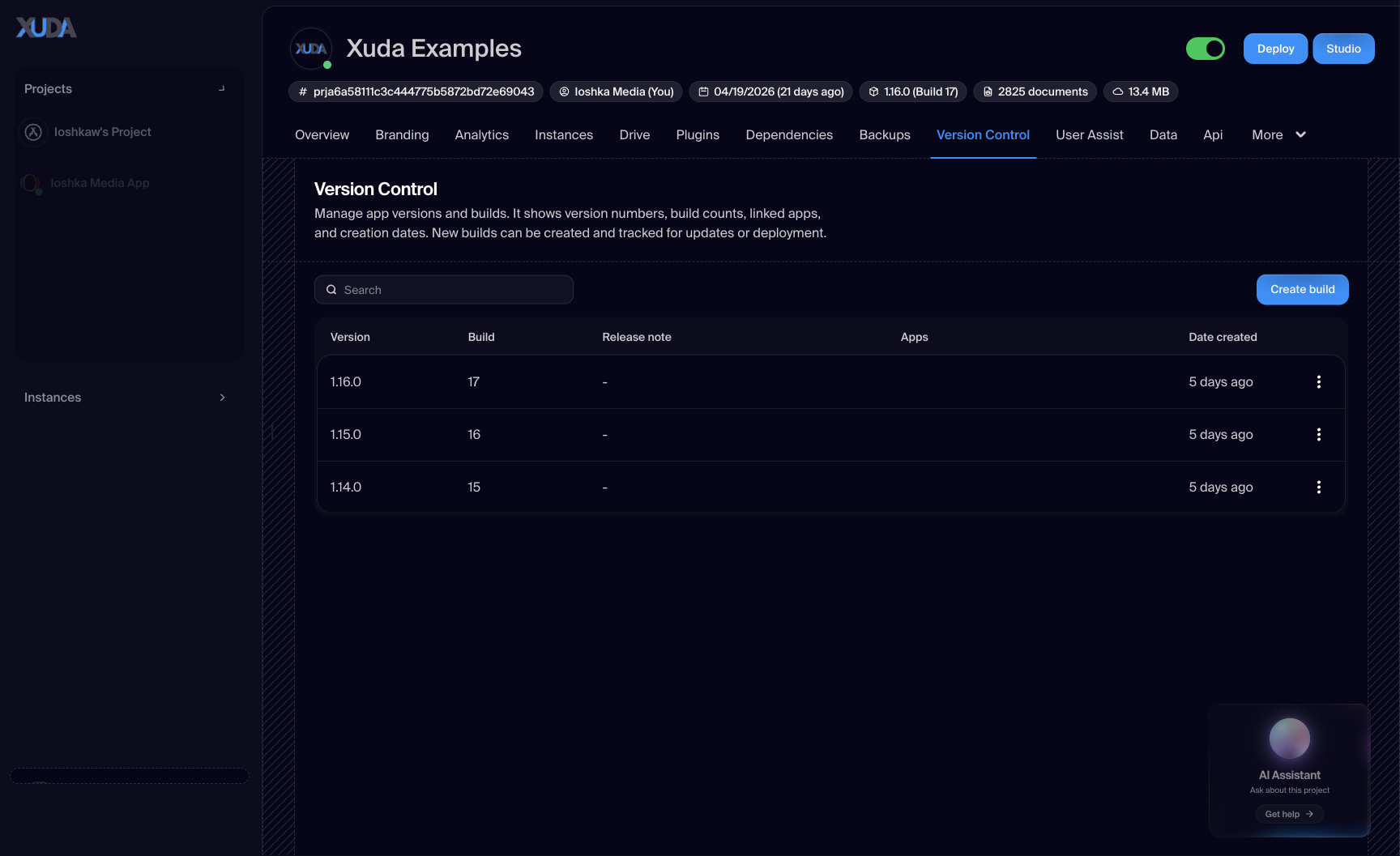
Step 1: Open The Version Control Tab
Open your project in dev.xuda.ai/dashboard, then click Version Control in the top project tab row.
Step 2: Read The Build List
The main table shows the project's build history.
The key columns usually include:
- Version
- Build
- Release note
- Apps
- Date created
This gives you a simple timeline of what has been built and when.
Step 3: Create A New Build
Use the Create build button when you are ready to package a new version.
The build flow can include:
- choosing major, minor, or patch
- reviewing the next version number
- writing optional release notes
- checking recent project changes before the build runs
What This Tab Is Best For
Use Version Control when you want to answer questions like:
- What is the latest build?
- When was the last build created?
- Which version should be deployed next?
- Has this project already been packaged into a newer release?